Builder website conversion checklist: 2026 guide
31 May 2026 · 3 min read
Builder website conversion checklist: 2026 guide

Most builder websites get traffic but lose enquiries. Visitors land on your site, look around for a few seconds, and leave without contacting you. The problem is rarely the quality of your work. It is almost always a structural issue with how the site presents trust, communicates clearly, and makes it easy for someone to take the next step. This builder website conversion checklist gives you a practical, section-by-section framework to audit and fix exactly those issues. Work through it methodically and you will close the gap between visits and qualified leads.
Table of Contents
- Key takeaways
- 1. Understand your builder website conversion checklist criteria
- 2. Add trust signals that genuinely convert builder visitors
- 3. Optimise your lead capture forms and calls to action
- 4. Technical performance checks every builder site needs
- 5. Testing and measuring what actually drives builder site conversions
- My honest take on builder website conversion
- How gtwelve helps builders improve website conversions
- FAQ
Key takeaways
| Point | Details |
|---|---|
| Trust signals drive decisions | Place licences, reviews, and project photos near your forms and CTAs to reduce hesitation. |
| Short forms convert better | Limit contact forms to four or five fields to reduce friction and increase submissions. |
| Mobile performance is critical | A mobile-optimised builder site sees significantly higher contact rates than a desktop-only design. |
| Multiple contact paths matter | Offering WhatsApp, click-to-call, and short forms serves visitors at different stages of readiness. |
| Testing beats assumptions | Track form clicks, call events, and bounce rates to make decisions based on data, not guesses. |
1. Understand your builder website conversion checklist criteria
Conversion rate optimisation (CRO) is the recognised discipline behind everything in this checklist. Before you start ticking boxes, you need a clear picture of what good looks like on a builder or contractor site specifically.
Builder site visitors have a different mindset to someone browsing an e-commerce shop. They are often making a high-value, trust-dependent decision. They want to know you are legitimate, competent, and easy to contact. A structured CRO audit covers UI/UX, mobile responsiveness, loading speed, messaging, CTA effectiveness, and trust indicators. That framework applies directly to your site.
Here is what to evaluate before running through the full checklist:
- Visitor intent: Are people landing on your site to compare options, check credibility, or get a quote? Most builder site visitors are in comparison or credibility mode.
- Messaging alignment: Does your homepage headline tell visitors exactly what you do, where you do it, and who you serve?
- User journey: Can a visitor move from landing page to contact form in three clicks or fewer?
- Trust signals: Are your licences, insurance details, and reviews visible before the fold on key pages?
- CTA clarity: Is there one clear, prominent action for a visitor to take on each page?
Pro Tip: Check your homepage on a mobile device before anything else. If you cannot find a way to contact you within ten seconds, your visitors cannot either.
Above-the-fold messaging and a singular, prominent call to action are two of the highest-leverage fixes available on a builder homepage.
2. Add trust signals that genuinely convert builder visitors
Trust is the primary conversion lever for any construction or trades website. Visitors are deciding whether to hand over money for a project that could cost thousands. Generic stock photos and vague claims about “quality work” will not do the job.
The most effective trust elements for builder sites are:
- Real project photography: Before and after images, work-in-progress shots, and completed project galleries all perform better than stock imagery. Professional business photos create an immediate and credible impression that stock photos cannot match.
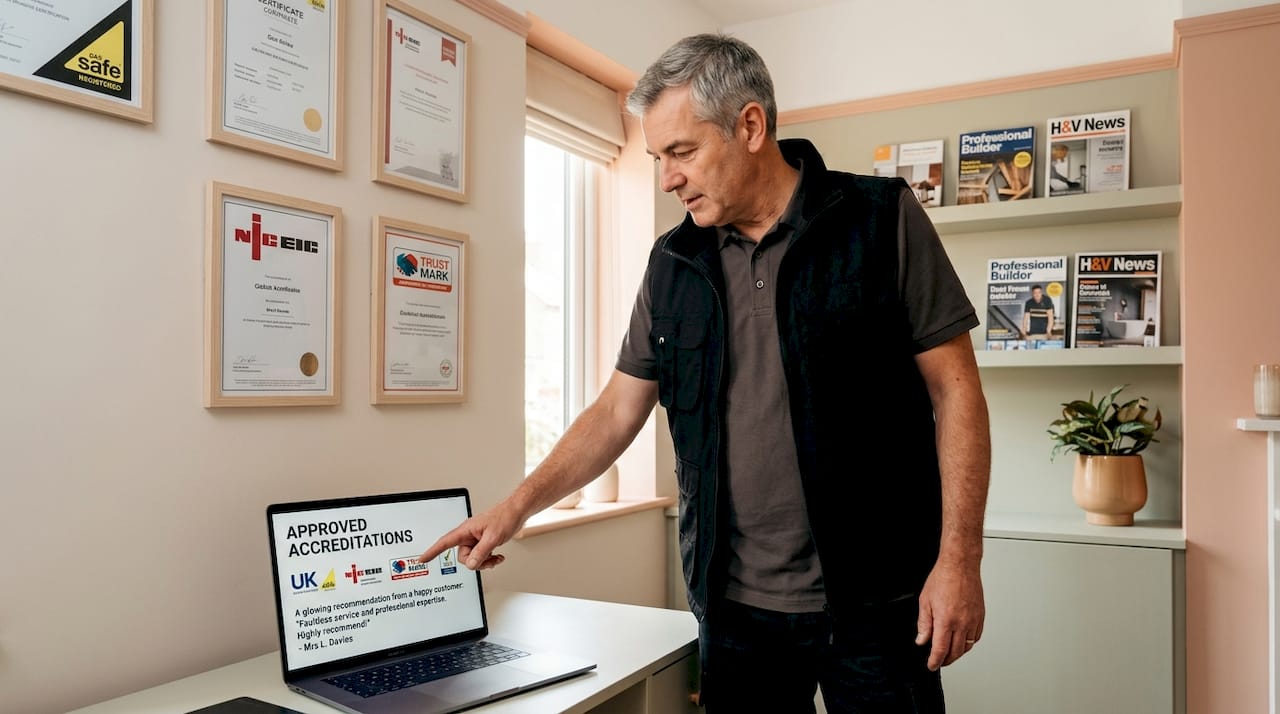
- Licences and accreditations: Display Gas Safe registration, NICEIC certification, FMB membership, or equivalent credentials visibly on every key page, especially near CTAs.
- Client testimonials with context: Include the client’s name, location, and project type. “Great job, highly recommend” tells nobody anything. “John replaced our flat roof in Coventry, on time, on budget” does.
- Case studies with process detail: Project galleries and process previews act as trust boosters unique to the construction sector, encouraging enquiries by showing both the outcome and the method.
- Guarantees and warranties: A clear workmanship guarantee placed near your enquiry form removes hesitation at the moment it matters most.
Trust signals near decision points substantially boost lead capture rates. The position matters as much as the content.
Pro Tip: Do not group all your trust signals on a separate “About” page. Put your key accreditation logos and a short testimonial directly above or beside every contact form on your site.
3. Optimise your lead capture forms and calls to action
Your form is where conversions happen. A well-built page that feeds a poorly designed form is wasted effort.
Keep forms to five fields maximum to reduce friction. For most builder enquiries, that means: name, phone number, email, service type, and a brief project description. Everything else can be gathered on the first call.
Here is a practical sequence to follow when auditing your forms and CTAs:
- Count the fields. Remove any that are not needed to qualify the enquiry.
- Check labels. Every field should have a clear, visible label, not placeholder text that disappears when the visitor starts typing.
- Test on mobile. Buttons should be large enough to tap, and the keyboard should not cover form fields on a phone.
- Review your CTA text. “Submit” is not a call to action. “Get my free quote” or “Book a site visit” tells the visitor exactly what happens next.
- Add multiple contact paths. Different contact options serve different buyer intent stages: WhatsApp for quick questions, click-to-call for urgent jobs, and a short form for considered enquiries.
Reducing form friction through A/B testing consistently shows that shorter, clearer forms outperform longer ones. The data always confirms what common sense suggests.
Pro Tip: Place a CTA above the fold on every service page, then repeat it naturally further down. Visitors who scroll past the first CTA are often more qualified. Do not make them scroll back to the top.
Builders tend to attract clients at varying commitment levels. Matching your contact options to that spectrum means you will capture enquiries you would otherwise miss entirely.
4. Technical performance checks every builder site needs
A slow or broken site kills conversions before your messaging gets a chance to work. Technical issues are frequently the hidden cause of poor performance on builder websites, particularly on mobile.
| Performance factor | Target benchmark | Impact on conversions |
|---|---|---|
| Largest Contentful Paint (LCP) | Under 2.5 seconds | Slower pages see higher bounce rates |
| Interaction to Next Paint (INP) | Under 200ms | Sluggish response frustrates mobile users |
| Cumulative Layout Shift (CLS) | Under 0.1 | Layout jumping breaks trust mid-page |
| Mobile contact rate uplift | Up to 63% higher | Mobile-optimised sites capture far more leads |
Core Web Vitals benchmarks including LCP under 2.5s, INP under 200ms, and CLS under 0.1 are the standard for good performance in 2026. Meeting them affects both your search rankings and user experience. These are not optional targets.
Mobile-optimised contractor sites see approximately 63% higher contact rates. Most of your site visitors are on a phone, browsing between jobs or during a commute. Read more on why mobile performance for trades deserves dedicated attention in 2026.
Pro Tip: Compress every image on your site before uploading it. Uncompressed photos from a DSLR or modern smartphone are the single most common cause of slow load times on builder websites.
Simplify your navigation too. Dropdown menus with six subcategories confuse visitors. Keep top-level navigation to five items or fewer and make “Contact” or “Get a quote” consistently visible.
5. Testing and measuring what actually drives builder site conversions
You cannot improve what you do not measure. Most builder sites have Google Analytics installed but are not tracking the events that actually matter for conversions.
Start by setting up goal tracking for:
- Form submissions (not just page views of the thank you page)
- Click-to-call events on phone numbers
- WhatsApp link clicks
- Scroll depth on key service pages
This gives you real data on where visitors are engaging and where they are dropping off. A high bounce rate on a service page usually means the messaging does not match what the visitor expected. A low form submission rate despite good page views usually means the form or CTA is the problem.
From there, follow this measurement sequence:
- Identify your highest-traffic pages with the lowest conversion rates. These are your priority.
- Run A/B tests on one element at a time. Change the CTA text, shorten the form, or move a trust signal closer to the form. Change one variable per test.
- Set a minimum sample size before calling a winner. Do not make decisions based on three days of data.
- Review bounce rates by device. Mobile and desktop visitors often behave very differently.
- Check your enquiry tracking setup to confirm you are attributing conversions to the right pages and channels.
Post-conversion follow-up and lead routing significantly affect pipeline quality beyond the initial website conversion. Map what happens after a form is submitted. How quickly does a lead get a response? Where does it go? A site that converts well but routes leads into an unmonitored inbox is losing business quietly. This is one of the most common enquiry leakage points in the construction sector.
My honest take on builder website conversion
I have worked on websites for builders, roofers, groundworkers, and contractors of all sizes. The pattern I see repeatedly is this: businesses invest time and money into a new site, see a short-term lift in enquiries, then performance plateaus and nobody knows why.
The reason is almost always that the site was treated as a one-off project rather than a system that needs monitoring and adjustment. A checklist gets you started but it does not maintain itself.
What I have found genuinely matters, beyond the standard advice, is the 15 minutes after a form is submitted. The critical window post-submission is where most builder businesses quietly lose enquiries they worked hard to generate. A lead who does not hear back within the hour will often book someone else before lunchtime. That is not a website problem. It is a process problem.
I have also seen builders dismiss mobile performance fixes as low priority, only to find that three-quarters of their traffic was arriving on phones and leaving within seconds. Small technical fixes in that context produce large, measurable lifts in contact rates.
My real advice is to treat your site like a member of your sales team. Review it regularly, track its performance honestly, and do not assume that what worked last year will keep working. The sites that consistently generate good enquiries are not the prettiest ones. They are the ones that get tested, updated, and looked after.
— Ben
How gtwelve helps builders improve website conversions
If working through this checklist has surfaced gaps in your current site, gtwelve can help you address them methodically. We work specifically with trades and construction businesses across the UK, building websites that are designed from the ground up to convert visitors into qualified enquiries.

From trust signal placement and form design to Core Web Vitals performance, CTA testing, and post-submission workflows, our work covers the full picture. We also connect enquiries directly into follow-up systems so leads do not disappear after the form is submitted. Visit gtwelve.co.uk to see how we approach conversion-focused website design for builder and trade businesses, or browse the gtwelve blog for further guides on getting more from your existing site.
FAQ
What is a builder website conversion checklist?
A builder website conversion checklist is a structured audit framework covering trust signals, form design, CTAs, mobile performance, and tracking to identify and fix the specific issues preventing builder sites from converting visitors into enquiries.
How many fields should a builder contact form have?
Keep contact forms to four or five fields maximum. Research consistently shows that shorter forms reduce friction and produce more submissions without sacrificing lead quality for initial enquiries.
Where should trust signals appear on a builder website?
Place licences, accreditations, reviews, and guarantees directly near your contact forms and CTAs. Trust signals positioned at decision points have a substantially higher impact on conversion than those grouped on a separate page.
How do I track conversions on a builder website?
Set up event tracking in Google Analytics for form submissions, call clicks, and WhatsApp interactions. Do not rely on page view data alone. Accurate conversion tracking requires specific goal configuration for each contact method.
Why does mobile performance affect builder site conversions?
Most visitors to builder websites browse on a mobile device. A site optimised for mobile sees up to 63% higher contact rates. Slow load times, tiny tap targets, and poor layout on phones cause visitors to leave before they reach your contact form.
Recommended
If this sounds like your website, we can take a look.
Note 54 of 72