How location pages work: a guide for marketers
30 June 2026 · 3 min read
How location pages work: a guide for marketers

Location pages are dedicated webpages that present a business’s services, contact details, and credentials for a specific geographic area, giving both users and search engines precise local information. Understanding how location pages work is the foundation of any serious local SEO strategy. Done well, they capture high-intent searches like “plumber in Leeds” or “accountant near me” and convert visitors into enquiries. Done poorly, they attract Google penalties and damage the domain authority you have spent months building.
How location pages work to improve local search visibility
Location pages function by giving search engines a clear, location-specific signal about where a business operates and what it offers there. A generic service page cannot do this. A dedicated page for “boiler servicing in Sheffield,” with unique content, structured data, and local proof, tells Google exactly what to rank and for whom.
Unique, localised content is the single most important factor. Pages need 40–60% unique content, ideally between 800 and 1,200 words, to avoid being flagged as thin or duplicate. That means more than swapping a town name into a template. Each page should reflect the specific services offered in that area, local pricing context, and genuine community detail.

Search engines also use schema markup to understand location pages at a structural level. Schema fields like business name, physical address, geo-coordinates, and local phone number must be unique per page and linked to the corresponding Google Business Profile via the sameAs property. Without this, even well-written pages leave ranking signals on the table.
Location pages also affect visibility in “near me” queries, which rely heavily on proximity signals and page relevance together. A page that combines local schema, a verified Google Business Profile, and location-specific content ranks for those queries far more reliably than a general contact page.
- Unique content per location: Avoid copy-paste templates. Write about the specific area, local team, and services available there.
- Schema markup: Implement a unique LocalBusiness schema block per page with geo-coordinates.
- Google Business Profile alignment: Match the name, address, and phone number exactly across both.
- Internal linking: Link each location page to and from a central locations hub.
- “Near me” relevance: Combine proximity signals with location-specific page content.
Pro Tip: Link your location page directly to its corresponding Google Business Profile using the sameAs schema property. This single step strengthens the connection between your website and your map listing.
What makes an effective location page?
An effective location page addresses searcher intent first. The visitor wants to know: do you serve my area, what do you offer, and how do I book? Every element on the page should answer one of those three questions.
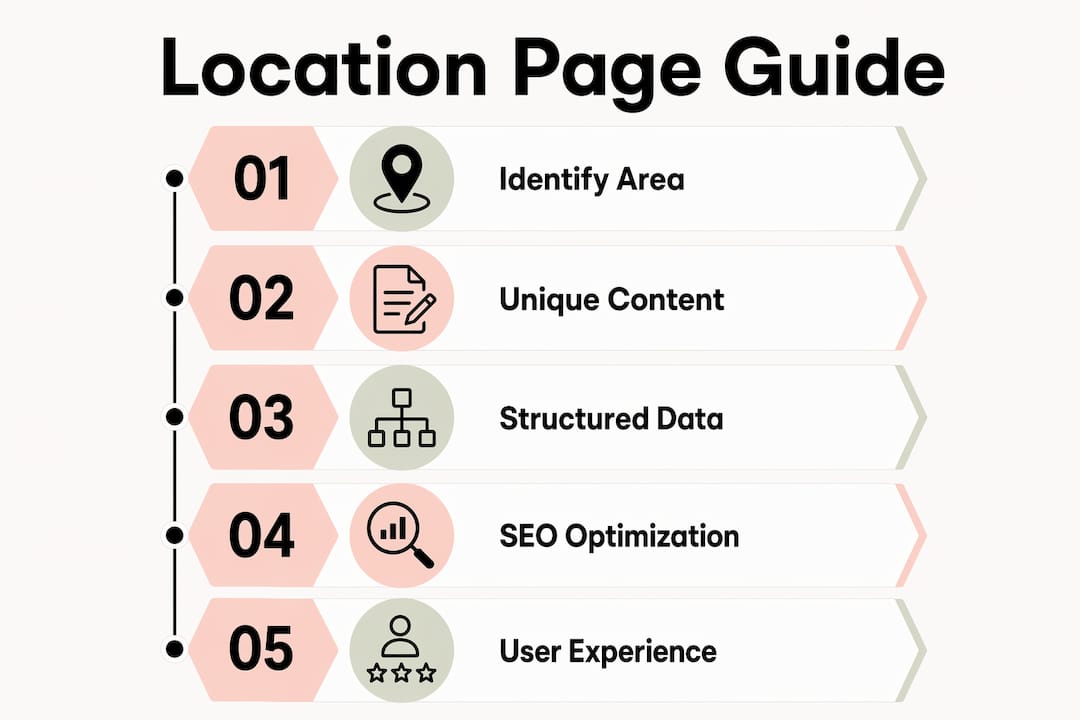
The non-negotiables are precise business details that match your Google Business Profile exactly: name, address, and phone number. Any mismatch across your website, directories, and Google Business Profile creates a trust conflict that search engines penalise. Opening hours must be current and updated whenever they change.
Search engines apply a high-quality threshold for local pages that goes well beyond basic information. Generic opening hours or a nearby landmark are not enough. You need real photos of the local team or premises, authentic customer reviews from that specific area, and services described in the context of that location. A live feed of local reviews, updated photos from regional offices, and location-specific FAQs all contribute to meeting this threshold at scale.
- Precise business details: Name, address, and phone number matching your Google Business Profile exactly.
- Opening hours: Current, accurate, and updated in real time when they change.
- Location-specific services: Describe what you offer in that area, not a generic list.
- Local proof: Real photos of the team or premises, not stock images.
- Authentic reviews: Customer testimonials from that specific location, ideally with a live feed.
- Location FAQs: Answer the questions local customers actually ask, such as parking, response times, or area coverage.
- Clear calls to action: Make booking or enquiring the obvious next step, with a local phone number or area-specific contact form.
Pro Tip: Pull your Google Business Profile reviews directly onto the location page using an API or widget. Fresh, location-specific reviews update the page automatically and signal relevance to search engines without extra effort.
What are the risks of getting location pages wrong?
The most serious risk is creating what Google classifies as a doorway page. A doorway page is a location page built for an area where the business has no genuine presence or service capability. Google deprioritises or removes these from search results entirely. The damage extends beyond the individual page and can affect the whole domain.
Thin or templated pages carry a similar risk. A page that simply replaces one town name with another, with no other changes, provides no value to the user and no new signal to the search engine. These pages dilute domain authority over time rather than building it.
“Generic or duplicated content no longer suffices to rank well. Search engines now apply a strict high-quality threshold for local pages, requiring proof of genuine local presence and community involvement.”
The risks are sharper in YMYL industries. For finance, legal, or health businesses, location pages must carry qualified expert authors and verifiable credentials. Thin or templated pages in these sectors can permanently harm domain authority, not just individual page rankings. A trusted website design matters here too, because users in sensitive industries judge credibility on sight.
- Doorway pages: Never create location pages for areas you do not genuinely serve.
- Thin content: Pages under 500 words perform poorly in competitive local search.
- Template duplication: Swapping a town name is not unique content.
- YMYL risk: Expert authorship and verifiable credentials are non-negotiable in sensitive industries.
- Authority dilution: A large number of low-quality location pages weakens the whole domain.
Technical structure and architecture for location pages
The hub-and-spoke model is the standard architecture for businesses with multiple location pages. A central locations directory page acts as the hub. Each individual location page links back to it, and the hub links out to each location. This structure improves crawl efficiency and distributes link equity across all location pages evenly.
URL structure matters for both indexing and user clarity. A format like /services/boiler-repair/sheffield/ signals service and location to search engines and reads clearly to users. Avoid dynamic parameters or generic URLs that obscure the location context. The URL structure you choose at the start is difficult to change later without losing ranking signals.
| Element | Best practice | Why it matters |
|---|---|---|
| URL format | /service/location/ |
Clear signal to search engines and users |
| Schema markup | Unique block per page with geo-coordinates | Accurate location identification |
| Internal linking | Hub-and-spoke from central directory | Crawl efficiency and link equity |
| Sitemap inclusion | All location pages listed | Ensures discovery and indexing |
| Mobile performance | Fast load, tap-friendly contact buttons | Local searchers are predominantly mobile |
Implementing schema markup correctly for each location is an advanced but necessary step. Each page needs its own unique LocalBusiness schema block with geo-coordinates, linked to the corresponding Google Business Profile. Reusing the same schema block across multiple pages defeats the purpose entirely.
Pages must also be kept current. Outdated opening hours, old phone numbers, or removed services create a poor user experience and a trust conflict with your Google Business Profile. Build a review cycle into your workflow so location pages are checked and updated at least quarterly.
Key takeaways
Location pages work by combining unique local content, precise structured data, and a clear site architecture to signal genuine geographic relevance to both users and search engines.
| Point | Details |
|---|---|
| Unique content is non-negotiable | Each page needs 40–60% unique content and 800–1,200 words to avoid thin content penalties. |
| Schema markup per location | Use a unique LocalBusiness schema block with geo-coordinates and link it to your Google Business Profile. |
| Hub-and-spoke architecture | A central locations hub linked to individual pages improves crawl efficiency and distributes link equity. |
| Doorway pages carry real risk | Never build location pages for areas you do not genuinely serve; Google removes them from results. |
| User intent comes first | Confirm service availability, hours, and booking steps before worrying about keyword density. |
What I have learned from building location pages at scale
The biggest mistake I see is treating location pages as an SEO task rather than a customer service task. Marketers build them to rank, then wonder why they do not convert. The pages that perform best are the ones where a local customer would read them and think, “Yes, this business clearly knows my area.”
The practical challenge is scale. If you serve 20 towns, writing genuinely unique content for each one is a real commitment. The shortcut most businesses take is templating, and that is exactly what Google penalises. The solution I have found is to work directly with local teams or customers to gather area-specific detail: what jobs come up most often in that area, what local landmarks or access issues affect the work, what questions customers in that postcode tend to ask. That material cannot be faked, and it cannot be duplicated.
AI search is changing the stakes here. Tools like Perplexity and ChatGPT now surface local business information in conversational answers. Pages with clear, factual, location-specific content are the ones being cited. Thin pages are invisible. The website structure planning decisions you make now will determine whether your business appears in those answers or not.
The businesses that get this right treat location pages as living documents, not a one-time build. They update them when services change, add new reviews, and refresh photos. That ongoing attention is what separates pages that rank and convert from pages that quietly decay.
— Ben
Location pages and local SEO: how gtwelve can help
Building location pages that genuinely rank and convert requires more than a template and a town name. It takes a clear content strategy, proper schema implementation, and a site architecture that supports every page you publish.

gtwelve works with UK service businesses and trades to plan, build, and maintain location-based landing pages that meet Google’s quality standards and turn local searches into real enquiries. From schema markup and URL structure to content planning and Google Business Profile alignment, gtwelve handles the technical and strategic work so you do not have to. If your location pages are not performing, or you have not built them yet, get in touch to find out what a properly structured local SEO approach looks like for your business.
FAQ
What are location pages in SEO?
Location pages are dedicated webpages that target a specific geographic area, providing unique local content, business details, and structured data to help search engines rank the business for local queries.
How do location pages improve local search rankings?
Location pages improve rankings by combining unique localised content, schema markup with geo-coordinates, and alignment with a verified Google Business Profile, giving search engines clear signals about where a business operates.
How much content does a location page need?
Effective location pages need 800–1,200 words with 40–60% unique content. Pages under 500 words perform poorly in competitive local search results.
What is a doorway page and why is it a risk?
A doorway page is a location page created for an area the business does not genuinely serve. Google deprioritises or removes these pages from search results and the penalty can affect the whole domain.
What schema markup should a location page include?
Each location page needs a unique LocalBusiness schema block containing the business name, physical address, local phone number, geo-coordinates, and a sameAs link to the corresponding Google Business Profile.
Recommended
If this sounds like your website, we can take a look.
Note 24 of 72