Professional trade website checklist for UK trades
12 July 2026 · 3 min read
Professional trade website checklist for UK trades

A professional trade website checklist defines the exact pages, technical settings, and legal disclosures a UK trade business needs to turn its website into a reliable source of booked jobs. Most trade websites fail not because of poor workmanship, but because they lack the structure that converts visitors into enquiries. The industry standard for a well-built trade site covers six core pages, mobile-first design, local SEO, and GDPR compliance. Get these right and your website works as a lead generation engine, not just an online brochure. gtwelve works with UK trades daily on exactly this, and the gap between a site that generates calls and one that sits idle is almost always structural.
What core pages and content must a professional trade website include?
A professionally built trade website requires six core pages to function as a lead generation tool: Home, Services, Areas Covered, About, Reviews, and Contact. Each page serves a specific conversion role, and missing even one creates a gap that costs you enquiries.
| Page | Primary purpose | Priority |
|---|---|---|
| Home | Communicate what you do, where, and how to contact you | Critical |
| Services | Detail each service with clear descriptions and CTAs | Critical |
| Areas Covered | Target local search terms and set geographic expectations | High |
| About | Build trust with credentials, experience, and team details | High |
| Reviews | Provide social proof through real customer testimonials | High |
| Contact | Capture leads via form, phone, and map | Critical |
The homepage carries the heaviest load. Above the fold, visitors need your trade, your service area, and a phone number or contact button. No scrolling required. The Services page should break down each offering individually. A single page listing “plumbing, heating, and gas” without detail ranks for nothing and converts no one.

The Areas Covered page is underused by most trades. It targets location-specific searches such as “electrician in Harrogate” and signals to Google exactly where you operate. The About page builds credibility. Qualifications, years of experience, and a photo of the actual team convert better than stock imagery and generic copy.
Supplemental pages such as FAQs, a gallery, and pricing add value once the core six are in place. Contact forms should use 3–5 fields maximum to reduce drop-off. That means name, phone, email, and a brief description of the job. Anything beyond that and you lose leads before they submit.
Pro Tip: Add a “Thank You” page after form submission. It confirms receipt, sets expectations on response time, and lets you track conversions accurately in Google Analytics or your CRM.
Reviews deserve more than a static screenshot. Embed live Google reviews or use a widget that pulls from your Google Business Profile. Visitors trust dynamic, dated reviews far more than curated quotes with no source.
How to optimise your trade website for mobile, speed, and local SEO
Technical performance is not optional. Over 70% of trade website visitors arrive on a mobile device. A site that looks fine on desktop but breaks on a phone loses the majority of its traffic before a single word is read.
-
Apply mobile-first design. Build and test on mobile before desktop. Buttons must be large enough to tap, text must be readable without zooming, and navigation must work with a thumb. Read more on mobile design for trades to understand what this means in practice.
-
Hit Core Web Vitals targets. Pages must load in under 2.5 seconds to avoid Google’s performance penalties. Compress images, use a content delivery network, and remove unnecessary plugins or scripts. Slow pages rank lower and convert worse.
-
Set up your Google Business Profile. This is the single most important local SEO action you can take. A complete, verified profile with photos, services, and regular posts puts you in the map pack for local searches.
-
Target local search terms on every page. Local SEO rankings for “[trade] near [town]” generate 5–15 times more qualified leads than generic national SEO. That multiplier makes local keyword targeting the highest-return SEO activity for any trade business.
-
Add schema markup. Use LocalBusiness, Service, Review, and FAQPage schemas. Schema markup applied correctly improves how search engines and AI tools index your content, increasing your chances of appearing in featured snippets and AI-generated answers.
-
Optimise for E-E-A-T. Google’s Experience, Expertise, Authoritativeness, and Trustworthiness framework rewards sites that demonstrate real-world credentials. Author bios, accreditation logos, and detailed service descriptions all contribute. For a deeper look, the gtwelve guide on AI-powered search optimisation covers this in full.
Pro Tip: Run your site through Google’s PageSpeed Insights every quarter. It flags specific issues with load time and mobile usability, and the fixes are often straightforward.
Which design elements boost lead conversion on trade websites?
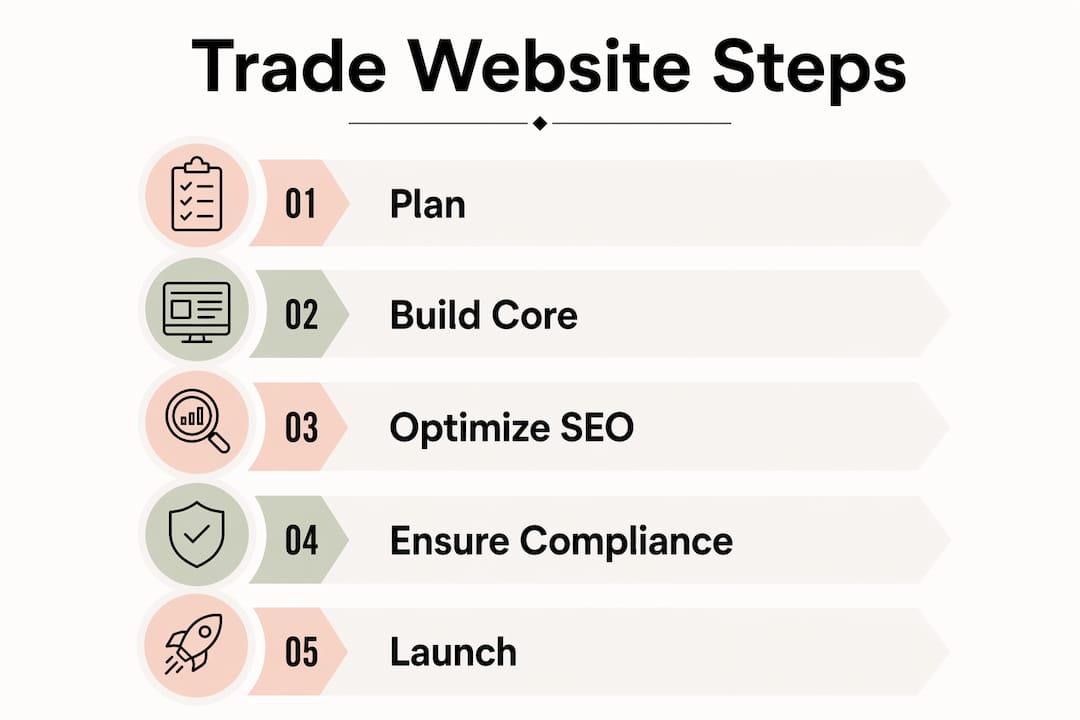
Design decisions directly affect how many visitors pick up the phone. The 3-second rule is the standard: within three seconds of landing on your homepage, a visitor must understand what you do, where you work, and how to contact you. If any of those three are unclear, they leave.
The following elements have the greatest impact on conversion:
- Click-to-call phone numbers. On mobile, your phone number must be a tappable link. A number displayed as plain text on a phone screen loses calls every single day.
- Above-the-fold CTAs. Place your primary call to action, whether that is “Get a Free Quote” or “Call Now,” at the top of every key page. Do not make visitors scroll to find it.
- Minimal contact forms. Keep fields to 3–5 maximum. Every extra field reduces the number of people who complete it.
- Trust signals in visible positions. Gas Safe registration, NICEIC approval, Checkatrade membership, and public liability insurance details should appear in the header or hero section, not buried in the footer.
- Live review embeds. Static testimonials carry less weight than a live feed from Google or Trustpilot. Visitors can see the date, the reviewer’s name, and the star rating without leaving your site.
Homepage and top service pages drive 70–80% of a site’s total conversion potential. That means you do not need a perfect 20-page website to generate leads. You need three to four pages that are genuinely well built.
A common pitfall is hiding contact details. Phone numbers belong in the header on every page, not just the Contact page. Another is using a contact form as the only option. Offer phone, form, and where relevant, a booking link. Different customers prefer different routes.
Pro Tip: Avoid visible CAPTCHA on contact forms. It creates friction and reduces submissions. Use honeypot fields or a backend spam filter instead.
What legal and compliance requirements must UK trade websites meet?
Legal compliance on a trade website affects credibility, user trust, and search engine preference. The requirements are not complex, but missing them signals unprofessionalism and can expose your business to risk.
UK business websites must display the following information clearly:
- Business name as registered with Companies House or HMRC
- Registered office address (for limited companies)
- Company registration number (for limited companies)
- VAT number (if VAT registered)
- GDPR-compliant privacy policy covering how you collect, store, and use customer data
- Cookie consent notice that gives visitors a genuine choice before non-essential cookies load
- SSL certificate (the padlock in the browser bar) to encrypt data and satisfy Google’s security requirements
Sole traders operating under their own name are not required to display a registered address, but displaying a business address still builds trust. Accreditations and insurance details are not legally mandated disclosures, but they function as trust signals that directly influence whether a visitor makes contact. Place them where they are seen, not where they are technically present.
Accessibility is an emerging compliance area. The Web Content Accessibility Guidelines (WCAG) 2.1 standard sets the benchmark for accessible design. Meeting Level AA means your site works for users with visual or motor impairments, and it also improves usability for everyone.
Key takeaways
A professional trade website checklist covering core pages, mobile performance, local SEO, and legal compliance is the foundation every UK trade business needs to generate consistent, qualified enquiries online.
| Point | Details |
|---|---|
| Six core pages are non-negotiable | Home, Services, Areas Covered, About, Reviews, and Contact each serve a distinct conversion role. |
| Mobile and speed come first | Over 70% of visitors use mobile; pages must load in under 2.5 seconds to rank and convert. |
| Local SEO multiplies lead quality | Ranking for “[trade] near [town]” generates 5–15 times more qualified leads than generic SEO. |
| Design drives conversion | The 3-second rule, click-to-call numbers, and minimal forms determine whether visitors enquire or leave. |
| Legal compliance builds trust | Displaying business details, a privacy policy, and an SSL certificate satisfies UK law and reassures visitors. |
What I have learned from auditing trade websites
The most consistent mistake I see on trade websites is treating the homepage as a welcome page rather than a conversion page. Trades spend real money on a site and then fill the hero section with a vague tagline and a stock photo of a hard hat. Nobody calls from that.
Calls and booked jobs are the only metrics that matter for a trade website. Raw traffic figures are vanity. I have seen sites with modest visitor numbers generating strong enquiry volumes because the homepage, the top service page, and the contact form were all built with conversion in mind. The reverse is also true: high-traffic sites that generate almost nothing because the structure is wrong.
The checklist approach works because it forces you to audit what is actually there, not what you think is there. Most business owners are surprised to find their phone number is not clickable on mobile, or that their Google Business Profile has not been updated in two years, or that their contact form has eight fields. These are fixable problems, but you have to look for them.
My recommendation is to run through a trade website audit every quarter. Not a full redesign. Just a structured check of the core pages, load speed, local SEO signals, and legal disclosures. The businesses that do this consistently outperform those that treat their website as a one-time project.
Invest in the homepage and your top two or three service pages first. Get those right before expanding. The return on a well-built core is far higher than spreading budget across a large site with weak fundamentals.
— Ben
How gtwelve builds trade websites that generate real enquiries
gtwelve designs and builds conversion-focused websites for UK trade and home service businesses, with every project built around the checklist principles covered here.

Every gtwelve website includes the six core pages, mobile-first build, Core Web Vitals compliance, local SEO setup, schema markup, and GDPR-ready legal pages. Enquiries connect directly into quote workflows, calendars, and CRM systems so no lead is missed. If you want a professional trade website that generates calls and booked jobs rather than just sitting online, gtwelve can help. Get in touch to discuss what your business needs.
FAQ
What pages does a trade website need?
A trade website needs six core pages: Home, Services, Areas Covered, About, Reviews, and Contact. Each page serves a specific conversion role and missing one creates a gap in your lead generation.
How fast does a trade website need to load?
Pages must load in under 2.5 seconds to meet Google’s Core Web Vitals standard. Slower pages rank lower in search results and lose visitors before they read a single line.
What legal information must a UK trade website display?
UK trade websites must display the business name, registered office address, company registration number if applicable, VAT number if registered, a GDPR-compliant privacy policy, and a cookie consent notice.
How many fields should a trade website contact form have?
Contact forms should have 3–5 fields maximum. More fields reduce the number of visitors who complete and submit the form, directly cutting your lead volume.
Why does local SEO matter more than general SEO for trades?
Ranking for location-specific searches such as “plumber near Leeds” generates 5–15 times more qualified leads than ranking for broad national terms. Local searchers have immediate intent and are far more likely to call.
Recommended
If this sounds like your website, we can take a look.
Note 12 of 72