Trade business website setup guide for UK trades
26 May 2026 · 3 min read
Trade business website setup guide for UK trades

Most trade business owners know they need a website. Far fewer know what actually makes one work. You can spend weeks building a site that looks decent but generates almost no enquiries, because the design, content, and setup decisions were made without a clear lead generation goal in mind. This trade business website setup guide covers everything from pre-launch preparation to post-launch growth, written specifically for UK tradespeople who want a site that does more than sit there looking professional. You will find practical steps, real cost guidance, and advice on avoiding the mistakes that quietly kill conversion rates.
Table of Contents
Key takeaways
| Point | Details |
|---|---|
| Prepare before you build | Sort your VAT registration, business goals, and budget before touching a website platform. |
| Platform choice matters | Match your platform to your technical ability and growth plans, not just the lowest monthly cost. |
| Local SEO drives trade leads | A Google Business Profile and location-specific pages are non-negotiable for UK trade visibility. |
| Avoid over-customisation | Sticking close to platform templates protects mobile usability and reduces ongoing maintenance costs. |
| Track and improve post-launch | Monitor traffic, enquiry volume, and conversion rates from day one to know what is working. |
What to prepare before building a trade website
Getting your foundations right before you open a website builder will save you significant time and money. Many trade business owners skip this stage and end up rebuilding sections of their site weeks later because the fundamentals were not in place.
Legal and business registrations
Your website will carry your business name, contact details, and potentially your VAT number. All of that needs to be accurate from day one. VAT registration is a legal requirement once your taxable turnover exceeds the threshold, and it must be handled before or alongside your website launch to avoid penalties. If you are a sole trader or limited company, confirm that your Companies House registration is complete and that your business name is consistent across all platforms.
A complete business setup typically takes two to three weeks when you include registrations and digital systems. Factor that into your launch timeline rather than treating it as an afterthought.
Define your goals and audience
Before you choose a template or write a single word of copy, decide what your website is actually for. Are you targeting domestic homeowners in a specific region? Commercial clients? Other trade businesses? Your audience determines your tone, your service pages, and your local SEO strategy. A plumber targeting residential customers in Manchester needs a very different site structure from an electrical contractor serving commercial property managers across the Midlands.
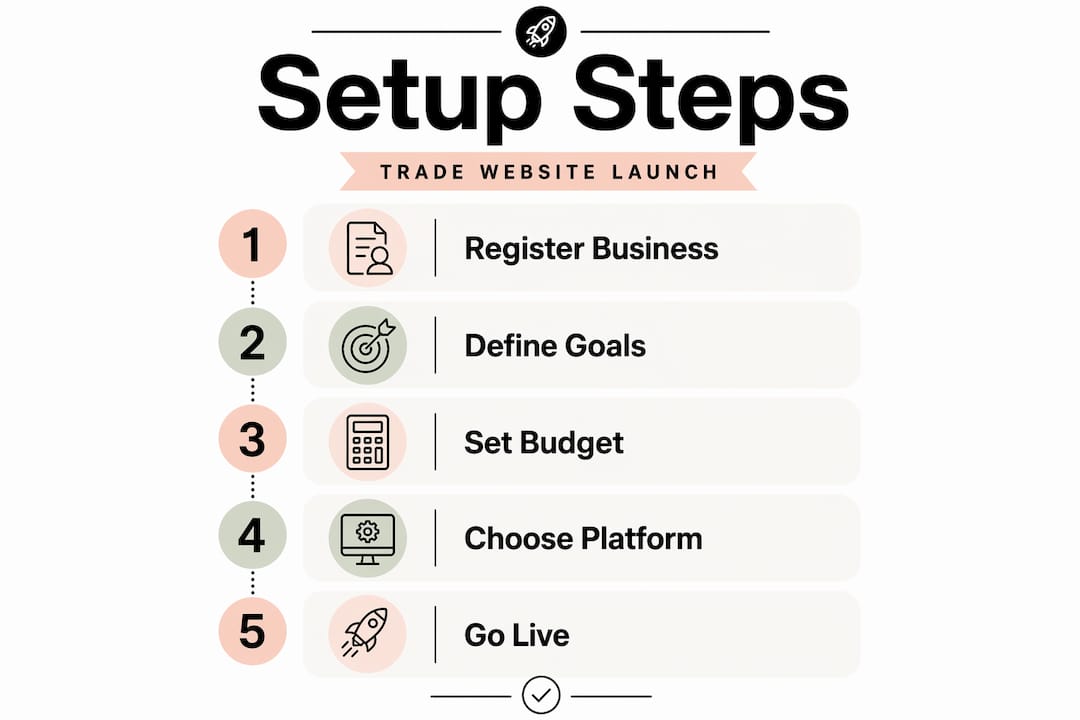
Write down three to five specific goals. Examples might include generating ten enquiry form submissions per week, ranking on page one for your main service in your town, or reducing the number of calls you take to answer basic questions about pricing and availability.
Budget and resource planning
Here is a realistic picture of what to expect financially. Initial website setup costs can range from a few hundred pounds for a self-built site on a monthly platform subscription, to several thousand for a professionally designed and built site. Initial setup costs typically start from around £80 to £400 for a basic self-built setup, with an additional budget recommended for marketing once live.
| Item | Estimated cost | Notes |
|---|---|---|
| Domain name | £10–£20 per year | Use a .co.uk for UK trade credibility |
| Hosting or platform subscription | £15–£60 per month | Varies by platform and features |
| Professional website design | £1,500–£5,000+ | One-off cost for custom or agency build |
| Logo and branding | £100–£500 | Often bundled with design packages |
| Local SEO setup | £300–£800 | Google Business Profile, citations, on-page |
| Email marketing tool | £0–£30 per month | Many platforms offer free tiers to start |
Pro Tip: Set aside at least 20% of your website budget for post-launch improvements. The first version of any site will need adjustments once real visitors start using it.
How to create an effective trade business website
With your foundations in place, you can move through the build itself with confidence. The steps below follow a logical order that avoids the most common rework cycles.
-
Choose your platform. Drag-and-drop builders require no coding skills and suit most trade businesses starting out. WordPress gives you more control but requires more technical management. For trade businesses exploring e-commerce for trade businesses, platforms like Shopify or WooCommerce add product catalogue and ordering features. Match the platform to your actual technical comfort level, not the one with the most impressive feature list.
-
Select a clean, industry-appropriate template. Choose a template designed for service businesses. It should load quickly, display well on mobile, and have clear call-to-action placement built in. Keeping architecture simple with platform templates aids maintenance and mobile usability, which matters enormously for trade businesses whose clients are often searching on a phone.
-
Build your core pages. Every trade website needs at minimum: a home page, a services page (or individual pages per service), an about page, a contact page, and a testimonials or reviews section. If you serve multiple locations, add a dedicated page for each area. These location pages are where local SEO gains are made.
-
Write benefit-led content. Benefit-led descriptions convert better than technical specifications alone. Instead of listing the tools you use, explain what the client gets: a clean, safe installation completed within one day, with a five-year guarantee. Write for the person reading, not for the industry.
-
Set up local SEO. Claim and fully complete your Google Business Profile. Add your business to relevant UK directories such as Checkatrade, Rated People, and Yell. Use your town and service in page titles and headings throughout your site. Local SEO and Google Business Profile setup are critical for trades relying on local client leads, and this is where most of your organic enquiries will come from in the early months.
-
Add trust signals. Display your trade accreditations (Gas Safe, NICEIC, TrustMark, or equivalent), client testimonials, and any before-and-after photography. These elements reduce hesitation and increase the likelihood that a visitor picks up the phone or fills in your form.
-
Integrate your enquiry and CRM systems. CRM integration and online quotes improve client acquisition significantly compared to a basic contact form that sends an email you may not check for hours. Connect your enquiry form to a CRM, set up automated acknowledgement emails, and ideally link to your calendar so clients can book a site visit or call directly.
Pro Tip: State your service area and typical response time clearly on your contact page and home page. Displaying realistic timelines reduces bounce rates and builds trust before a prospect has even spoken to you.
Common mistakes to avoid during setup
Even well-intentioned trade website builds go wrong in predictable ways. Knowing what to watch for saves you from fixing problems that should never have existed.
-
Over-customising your template. Excessive template customisation harms mobile usability and increases ongoing upkeep costs. If you find yourself fighting the template to get something to look right, that is a signal to simplify, not push harder.
-
Ignoring legal compliance pages. UK websites require a privacy policy, cookie consent notice, and terms and conditions. These are not optional. If you collect any personal data through a contact form, GDPR obligations apply from the moment your site goes live.
-
Unclear service areas and availability. If a visitor cannot quickly work out whether you cover their postcode, they will leave. Make your service area explicit on your home page and contact page.
-
No mobile testing before launch. Over half of all web traffic in the UK comes from mobile devices. Test every page on at least two different phone screen sizes before you publish.
-
Neglecting website security. Install an SSL certificate (your URL should begin with https). Keep your platform and any plugins updated. If you are on WordPress, use a reputable security plugin and enable automatic updates.
The cheapest fix for a website problem is the one you prevent during setup. Rushing to launch without testing, legal pages, or proper mobile checks creates work that costs more to fix than it would have to get right the first time.
Pro Tip: Ask three people who are not in your industry to navigate your site and try to find your contact details and service list. Their confusion will tell you exactly what needs fixing before you go live.
Measuring success after launch
Launching your site is not the finish line. It is the point at which you start gathering real data and making decisions based on what visitors actually do.
The metrics that matter most for a trade business are straightforward: total website visits, number of enquiry form submissions, number of phone calls attributed to the website, and the ratio of visits to enquiries. Google Analytics 4 is free and gives you all of this. Google Search Console shows you which search terms are bringing people to your site and where your rankings sit.
| Method | Tool | What it tells you |
|---|---|---|
| Traffic monitoring | Google Analytics 4 | Volume, source, and behaviour of visitors |
| Search visibility | Google Search Console | Keyword rankings and click-through rates |
| Enquiry tracking | CRM or form analytics | Lead volume and conversion rate |
| Review management | Google Business Profile | Reputation and local search impact |
| Email engagement | Email marketing platform | Open rates, click rates, follow-up performance |
Beyond the numbers, content marketing compounds your visibility over time. Publishing a short article each month answering a question your clients commonly ask (such as “how much does a new boiler cost in Manchester” or “do I need planning permission for a loft conversion in Birmingham”) builds topical authority and attracts organic traffic without paid advertising.
Social proof also grows post-launch. Ask every satisfied client to leave a Google review. A business with forty recent reviews will consistently outperform a competitor with a better-looking website but no social proof. Connect your social media profiles to your website and post project photos regularly. It takes ten minutes and keeps your profile active in local feeds.
Professionally built sites achieve 42% lower customer acquisition costs and significantly higher client lifetime value compared to basic or poorly optimised sites. That gap widens over time as your SEO and reputation compound.
My honest take on trade website success
I have worked with enough trade businesses to say this plainly: the sites that generate consistent leads are rarely the most visually impressive ones. They are the ones where the phone number is visible without scrolling, the service area is stated in the first paragraph, and the enquiry form takes under a minute to complete.
What I have seen repeatedly is trade owners spending weeks agonising over colour schemes and logo placement while leaving the contact page buried in the navigation. Or investing in a beautiful custom design that breaks on Android phones because the developer over-engineered the template. The trade business website best practices that actually move the needle are unglamorous: fast load times, clear calls to action, genuine client reviews, and a CRM that follows up automatically when someone submits a form at 10pm.
The misconception I encounter most often is that a bigger budget automatically produces better results. It does not. A £500 site built on a solid template, with accurate local SEO and a working enquiry form, will outperform a £5,000 site with no SEO and a contact form that sends emails to a shared inbox nobody monitors. Spend your budget on the things that affect lead generation directly, and keep the design clean rather than elaborate.
If you are starting out, resist the urge to build everything at once. Get a five-page site live with proper local SEO, then add content and features as you learn what your visitors actually need.
— Ben
How Gtwelve helps UK trade businesses get online
If you would rather get this right the first time without spending months figuring it out yourself, Gtwelve builds conversion-focused websites specifically for UK trade businesses and local service providers.

Every project includes website design, local SEO setup, service and location page planning, and integration with your enquiry and CRM workflows. That means your site does not just look professional. It captures leads, follows up automatically, and connects to the tools you already use, including Microsoft 365, calendars, and quote systems. There is no generic template approach. Gtwelve works with your specific trade, service area, and business goals to build something that generates real enquiries from day one. Talk to the Gtwelve team to find out what a properly built trade website can do for your business.
FAQ
How long does it take to set up a trade business website?
A self-built site on a platform like Wix or Squarespace can be live within a week. A professionally designed site with full SEO and CRM integration typically takes three to six weeks, depending on content readiness and complexity.
What pages does a trade business website need?
At minimum, you need a home page, a services page, an about page, a contact page, and a testimonials section. Adding individual location pages for each area you serve significantly improves local search visibility.
Do I need to register for VAT before launching my website?
You must register for VAT once your taxable turnover exceeds the current threshold, and your website must display accurate business and VAT information from launch. Getting this in order before you go live avoids compliance issues.
Which website platform is best for a UK trade business?
There is no single answer, but most trade businesses without a dedicated developer do well on WordPress with a service-focused theme, or on a hosted builder such as Squarespace or Wix. If you need e-commerce for trade businesses, Shopify adds ordering and catalogue features suited to product-based trade operations.
How do I get my trade website to appear in local search results?
Claim and complete your Google Business Profile, add your business to UK trade directories, and create individual pages for each town or area you serve. Use your service and location in page titles, headings, and the first paragraph of each page.
Recommended
If this sounds like your website, we can take a look.
Note 59 of 72