Types of AI tools for tradespeople: 2026 guide
8 July 2026 · 3 min read
Types of AI tools for tradespeople: 2026 guide
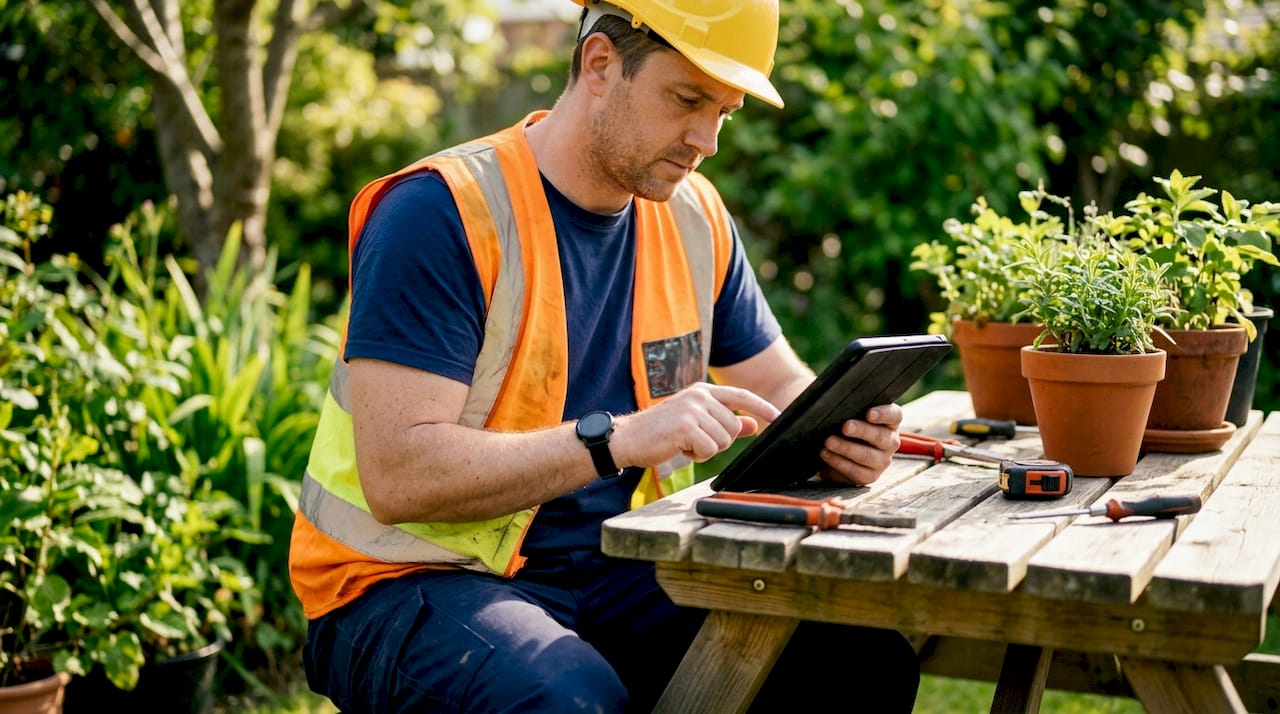
Types of AI tools for tradespeople are specialised software and assistants designed to automate estimating, scheduling, customer communication, and financial management for trades professionals. The right combination of these tools can save 6–10 hours of administrative time every week for small contractors. That is time you can put back into billable work, not chasing paperwork. This guide covers the main categories of AI tools relevant to UK tradespeople, with practical advice on what each type does, what to look for, and how to use them without overcomplicating your workflow.
What are the main types of AI tools for tradespeople?
AI tools for tradespeople fall into five clear categories: estimating and quoting, job and project management, customer communication, marketing, and accounting. Each category targets a different part of your working day, and the most effective tech setups combine tools from several of these groups.
The key distinction to understand is generalist AI versus trade-specific software. Trade-specific tools handle structured operational data such as invoicing, material tracking, and scheduling. Generalist AI, such as ChatGPT or Claude, excels at creative and communication tasks. Trying to force a generalist tool to manage your job scheduling leads to errors and high maintenance. Trying to use trade software to draft a customer email is equally clunky.

The most successful tradespeople combine both types. They use general AI assistants for one-off creative tasks and trade-specific platforms for estimating, scheduling, and project management. Pricing across these categories ranges from around £6 per month for sole trader tools up to £99 per month or more for full estimating suites, so there is a realistic entry point for most trade businesses.
1. AI estimating and quoting tools
AI estimating tools reduce quote generation from hours to roughly five minutes. Tools in this category use regional labour and material cost benchmarks to produce accurate draft quotes quickly.
The accuracy range for AI-generated estimates is typically ±15–25%, which is a useful starting point but not a final figure. You still need to adjust for local conditions, your own supplier rates, and the specifics of each job. The best tools in this category allow fully editable markups so you can align the output with your actual margins.
Key features to look for in an AI estimating tool:
- Regional labour and material cost databases updated regularly
- Editable line items and markup fields
- Export to PDF or direct integration with invoicing software
- Mobile access for on-site use
- UK-specific pricing benchmarks
Pro Tip: Load your past winning bids into a custom GPT alongside your standard markup rules. A custom GPT built around your own data produces far more accurate drafts than a generic tool, and cuts editing time significantly.
The unbillable time spent on quoting is one of the biggest drains on a small trade business. An AI estimating tool does not replace your expertise, but it removes the repetitive groundwork so you can focus on the judgement calls that actually require your experience.
2. AI job and project management tools
AI job management tools log jobs, dispatch tasks, automate scheduling, and send follow-ups without you lifting a finger. For sole traders and small teams, this category has the most direct impact on day-to-day admin.
UK-specific tools in this space are built with Making Tax Digital compliance and CIS requirements in mind. Some budget-friendly options start at around £6 per month and combine job logging with tax compliance features, which is a practical combination for sole traders who do not want separate systems for operations and accounts.
Features that matter most for tradespeople:
- Mobile-first design with voice input support
- Automated job status updates and client notifications
- Integration with MTD and CIS compliance reporting
- Scheduling with conflict detection
- Automated follow-up reminders to reduce no-shows
Pro Tip: Choose a tool that fits your specific trade workflow rather than the one with the most features. A plumber’s scheduling needs differ from a landscaper’s. Unused features add complexity without adding value.
AI tools work best on site when they support voice input and deliver short, direct responses. Tools that require complex setup or are desktop-bound are impractical when you are on a job. Prioritise mobile usability above everything else in this category.
3. AI customer communication tools
AI answering services and scheduling tools recover lost phone time and reduce no-shows by allowing clients to confirm or reschedule via text. Missing a call while you are on the tools is one of the most common ways trade businesses lose work. An AI answering service captures the lead, logs the enquiry, and sends you a summary.
Automated appointment reminders sent by text the day before a job cut no-show rates noticeably. The client gets a professional reminder, and you avoid the wasted journey. These systems run without any input from you once they are set up.
Key features to look for:
- Call answering with lead capture and summary
- Automated SMS reminders for appointments
- Client self-service rescheduling via text or link
- Integration with your job management calendar
- Missed call follow-up sequences
For tradespeople who struggle with missed call follow-ups, automated communication tools are the single highest-return investment in this list. Every missed call that gets followed up automatically is a potential job you would otherwise have lost.
4. AI marketing and content tools
AI content tools help tradespeople produce Google Business Profile updates, social media posts, review responses, and promotional emails without spending hours writing. Generalist AI tools such as ChatGPT and Claude are well suited to this category because the tasks are creative and unstructured.
The critical rule with AI-generated marketing content is to treat it as a first draft. Generic AI outputs sound polished but impersonal. Customers notice when a local tradesperson suddenly sounds like a corporate brochure. Rewrite the draft in your own voice before publishing.
Practical uses for AI marketing tools:
- Drafting responses to Google reviews
- Writing location-specific service pages for your website
- Creating social media captions for completed jobs
- Producing email follow-ups after quotes
- Generating FAQ content for your website
Your trade business website is the destination for all this content. AI tools can help you produce it consistently, but the quality of your website determines whether that content converts visitors into enquiries. AI writing assistance is covered in more depth in the gtwelve guide to AI writing tools.
5. AI accounting and invoicing tools
AI accounting tools automatically categorise bank transactions, match receipts via photo recognition, and detect cash flow anomalies. Tools such as Xero and Dext help UK tradespeople stay MTD compliant while cutting the time spent on bookkeeping each month.
For VAT-registered tradespeople, the MTD submission process is non-negotiable. AI-assisted accounting software handles the categorisation and submission workflow, which removes the risk of manual errors and late filings. Sage Sole Trader is another option built for UK tradespeople managing CIS deductions alongside standard bookkeeping.
Features to prioritise in this category:
- Bank feed categorisation with AI learning
- Receipt scanning via mobile camera
- MTD-compliant VAT submission
- CIS deduction tracking
- Automated invoice payment reminders
| Feature | Benefit for tradespeople |
|---|---|
| Bank feed categorisation | Removes manual transaction entry each month |
| Receipt scanning | Captures expenses on site without paper records |
| MTD submission | Keeps you compliant without a separate accountant step |
| CIS tracking | Automates deduction records for subcontractors |
| Invoice reminders | Chases late payments without awkward phone calls |
Automated invoice reminders are worth highlighting separately. Polite, timed reminders sent by the software recover late payments without you having to make uncomfortable calls. For small trade businesses, cash flow is the most common operational problem, and this feature addresses it directly.
6. AI tools for online visibility and lead generation
AI tools that support your online visibility work differently from the operational tools above. They focus on getting you found by new customers rather than managing existing jobs. This includes AI-assisted SEO content, Google Business Profile optimisation, and local search tools.
Tradespeople who publish consistent, location-specific content rank higher in local search results. AI tools can produce this content at scale, but it needs to be accurate, personalised, and relevant to your actual service area. Generic content produced by AI without editing does not rank well and does not convert.
The trade business online visibility checklist from gtwelve covers the specific steps tradespeople need to take to improve local search rankings. AI tools support this process, but they work best when combined with a clear content strategy and a well-structured website.
7. Choosing the right AI tools for your trade
The biggest mistake tradespeople make with AI tools is buying enterprise software designed for businesses with £5 million or more in revenue. These platforms are built for large teams with dedicated admin staff. They add complexity and cost that does not fit a sole trader or small crew.
The right approach is to identify your biggest time drains first. If quoting takes you three hours per job, start with an estimating tool. If missed calls are losing you work, start with an AI answering service. Match the tool to the problem, not the other way around.
Key selection criteria for tradespeople:
- Does it work on mobile with voice input?
- Does it integrate with tools you already use?
- Is it priced for a small trade business?
- Does it address a specific unbillable time drain?
- Can you get it running without a lengthy setup process?
Automation around your existing tools is often more effective than replacing everything at once. Start with one tool, measure the time saved, and add the next one when the first is working well.
Key takeaways
The most effective AI tools for tradespeople are those that directly reduce unbillable admin time in estimating, scheduling, communication, and accounting.
| Point | Details |
|---|---|
| Match tool to problem | Identify your biggest time drain before choosing any AI tool. |
| Combine generalist and specialist AI | Use trade-specific platforms for operations and general AI for content tasks. |
| Prioritise mobile usability | Tools that require desktop access are impractical on UK job sites. |
| Treat AI output as a draft | Always rewrite AI-generated content in your own voice before sending or publishing. |
| Start small and build | One well-chosen tool that saves real time is worth more than five unused ones. |
What I have learned from watching tradespeople adopt AI tools
The tradespeople who get the most from AI are not the ones who buy the most tools. They are the ones who pick one specific problem, find the right tool for it, and actually use it every day. That sounds obvious, but most people do the opposite. They buy a broad platform with twenty features, use three of them badly, and conclude that AI does not work for trades.
The other thing I see consistently is the voice input question. Tradespeople are not sitting at a desk. They are on site, hands dirty, working in noisy environments. Any tool that requires you to stop, find your phone, type a paragraph, and wait for a response is not going to last a week. Mobile-first, voice-enabled tools are not a nice-to-have for trades. They are the baseline requirement.
My honest recommendation is to start with communication. Missed calls and slow follow-ups are the most common reason trade businesses lose work to a competitor. An AI answering service that captures leads and sends you a summary costs less per month than a single lost job. Fix that first, then look at estimating, then accounting. Build the stack one layer at a time.
— Ben
How gtwelve helps tradespeople work more efficiently
gtwelve builds AI-powered automation systems specifically for UK trade businesses, connecting enquiries directly into quote workflows, calendars, follow-up sequences, and job management tools.

If missed calls, slow follow-ups, or manual admin are costing you jobs, gtwelve’s automation solutions for trades are built to fix exactly that. The systems connect to tools you already use, including Microsoft 365, and are designed for small trade businesses rather than large enterprises. You get a professional, automated operation without the overhead of a full admin team. Visit gtwelve.co.uk to see what is possible for your trade business.
FAQ
What types of AI tools do tradespeople use most?
The most widely used AI tools for tradespeople cover estimating and quoting, job scheduling, customer communication, and accounting. Each category targets a different part of the working day and reduces a specific type of admin burden.
How much do AI tools for tradespeople cost in the UK?
Pricing ranges from around £6 per month for sole trader job management tools up to £99 per month or more for full AI estimating suites. Most trade businesses can find a practical starting point without significant upfront investment.
Can AI tools help tradespeople stay MTD compliant?
Yes. AI-assisted accounting tools such as Xero and Sage Sole Trader automate bank feed categorisation, receipt scanning, and MTD VAT submissions, keeping UK tradespeople compliant without manual filing.
Are AI estimating tools accurate enough to use for real quotes?
AI estimating tools typically produce quotes with ±15–25% accuracy using regional benchmarks. They are reliable as a starting draft, but you should always adjust the final figure for your local supplier rates and job-specific conditions.
Do AI tools work on site without a desktop?
The best AI tools for tradespeople are mobile-first and support voice input, making them practical in noisy, time-sensitive site environments. Tools that require desktop access or complex setup are not suited to on-site use.
Recommended
If this sounds like your website, we can take a look.
Note 16 of 72