What is a click-to-call button? A clear guide
23 May 2026 · 3 min read
What is a click-to-call button? A clear guide

Most businesses understand that a phone call is one of the highest-value actions a prospect can take. Yet many websites still force visitors to copy a number, switch apps, and dial manually. A click-to-call button removes all of that. It is a clickable element on a webpage that initiates a phone call with a single tap or click. No copying. No switching. No dropped intent. Understanding what a click-to-call button is, how it works technically, and how to implement it well can directly improve how many enquiries your website generates.
Table of Contents
- Key takeaways
- What is a click-to-call button, exactly?
- Marketing benefits of click-to-call buttons
- Click-to-call best practices and common pitfalls
- Applying click-to-call in multi-channel strategies
- My take on click-to-call
- How Gtwelve helps you capture more calls
- FAQ
Key takeaways
| Point | Details |
|---|---|
| Simple but powerful mechanic | A click-to-call button uses the tel: URI scheme to trigger the device’s default calling app instantly. |
| Removes friction for callers | Users do not need to copy or manually dial a number, which directly increases call conversion rates. |
| Tracking is available but limited | Google Ads can track call-click conversions, but connecting call data to your CRM gives far better lead quality insight. |
| Design affects performance | Tap target size, colour contrast, and placement all influence how often visitors actually use the button. |
| Works across devices differently | On mobile it dials immediately; on desktop it may prompt a calling app, so design should account for both. |
What is a click-to-call button, exactly?
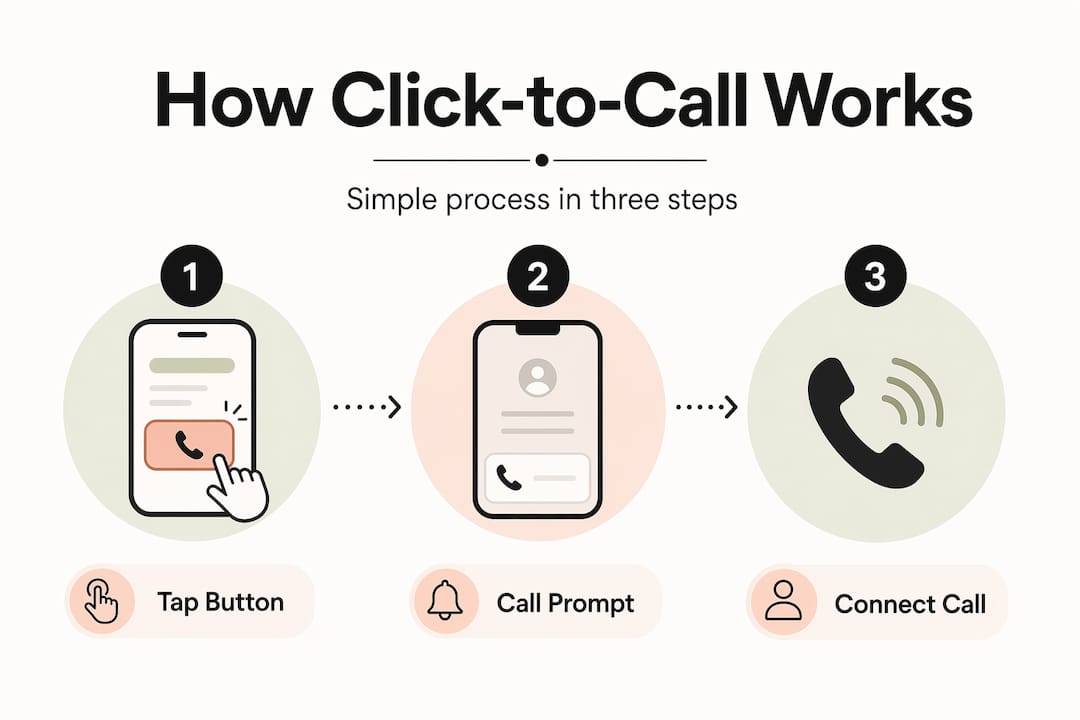
A click-to-call button is an on-page clickable element that initiates a phone call with one tap or click, using the tel: URI scheme embedded in standard HTML. In practice, it looks like this:
"`` Call us now
That is the entire technical foundation. The `tel:` prefix tells the browser or device to treat the number as a phone call intent rather than a web address. When a user taps the link, [the device OS opens](https://www.quo.com/blog/what-is-click-to-call/) the phone dialer pre-filled with the number, ready to call.
The behaviour differs depending on the device. On a smartphone, the call is one confirmation tap away. On a desktop computer, the OS looks for a default calling application. That might be Skype, FaceTime, Microsoft Teams, or a similar programme. If no calling app is configured, [clicking may trigger a prompt](https://callscaler.com/blog/click-to-call-html-code) asking the user to select one. This is a meaningful difference to account for in your design.
One important point many businesses miss: click-to-call requires no software download from the visitor. The default phone app on the device handles everything. That simplicity is precisely what makes it so effective as a conversion mechanism.
**Pro Tip:** *Always write phone numbers in international format in the `href` attribute, such as `tel:+441234567890`, with no spaces, brackets, or punctuation. This is what ensures correct call routing across different devices and networks.*
## Marketing benefits of click-to-call buttons
The case for adding a click-to-call feature to your website is straightforward when you look at what it replaces. Previously, a visitor interested in speaking with your business had to read a phone number, memorise it or copy it, leave the browser, open the phone app, and dial. Each of those steps is an opportunity for the intent to evaporate.
Reducing that friction directly improves conversion rates. The visitor goes from interest to ringing phone in one action. Here are the core marketing advantages:
1. **Higher call conversion rates.** Removing the manual dialling step converts more browsing intent into actual phone calls, particularly on mobile where switching between apps disrupts the experience.
2. **Better qualified leads.** Someone willing to phone is typically further along in their decision than someone completing a contact form. Click-to-call reaches buyers who want answers now.
3. **Faster response time.** The business receives the call in real time. There is no waiting for a form submission to come through email, no follow-up delay.
4. **Attribution in paid campaigns.** If you run Google Ads, call assets and call extensions use click-to-call functionality and [can track conversions from call clicks](https://support.google.com/google-ads/answer/13768416?hl=en) without needing a forwarding number, estimating conversions based on call duration post-click.
5. **Direct-response alignment.** Click-to-call fits naturally into any campaign where the goal is immediate dialogue, from local search ads to retargeting campaigns targeting warm prospects.
> "Google's call-click conversion tracking uses estimated call duration rather than full offline call outcomes. To get accurate ROI from your campaigns, connect call tracking with your CRM data."
This measurement nuance matters. Google Ads call-click tracking tells you how many people called and roughly how long the call lasted. It does not tell you whether the call became a paying client. That insight comes from connecting your call tracking tool to your sales workflow or CRM.
**Pro Tip:** *Pair click-to-call buttons with a dedicated call tracking platform. This lets you attribute calls to specific campaigns, pages, or keywords, giving you the data needed to improve ad spend and not just call volume.*
## Click-to-call best practices and common pitfalls
Getting a click-to-call button live on your website takes minutes. Getting it to perform well is a different task. Several common implementation errors quietly cost businesses leads without any obvious sign that something is wrong.
The table below sets out the most common pitfalls alongside the correct approach:
| Area | Common mistake | Best practice |
| --- | --- | --- |
| Number formatting | `tel:01234 567890` with spaces | Use `tel:+441234567890` in international format with no spaces or punctuation |
| Dynamic number insertion | Updating visible text but not the `href` attribute | Update both visible number and tel: link simultaneously to prevent routing errors |
| Mobile tap target | Small, thin hyperlink text | Minimum 44x44 pixel tap target with high colour contrast and a phone icon |
| Desktop experience | Same button design as mobile | Display the number as readable text on desktop; reserve tap-to-call styling for mobile |
| Tracking setup | Button with no event tracking | Tag the button click in Google Tag Manager to capture call intent data |
Beyond the table, there are a few specific considerations worth calling out.
**Dynamic Number Insertion (DNI)** is a technique where the phone number displayed on your site changes based on the source of the visitor, so organic traffic sees one number, paid traffic sees another. The mistake businesses make is updating only the visible text through their DNI script while leaving the underlying `href` attribute unchanged. The result: the visitor sees the correct number but, when they tap to call, gets routed to the wrong one.
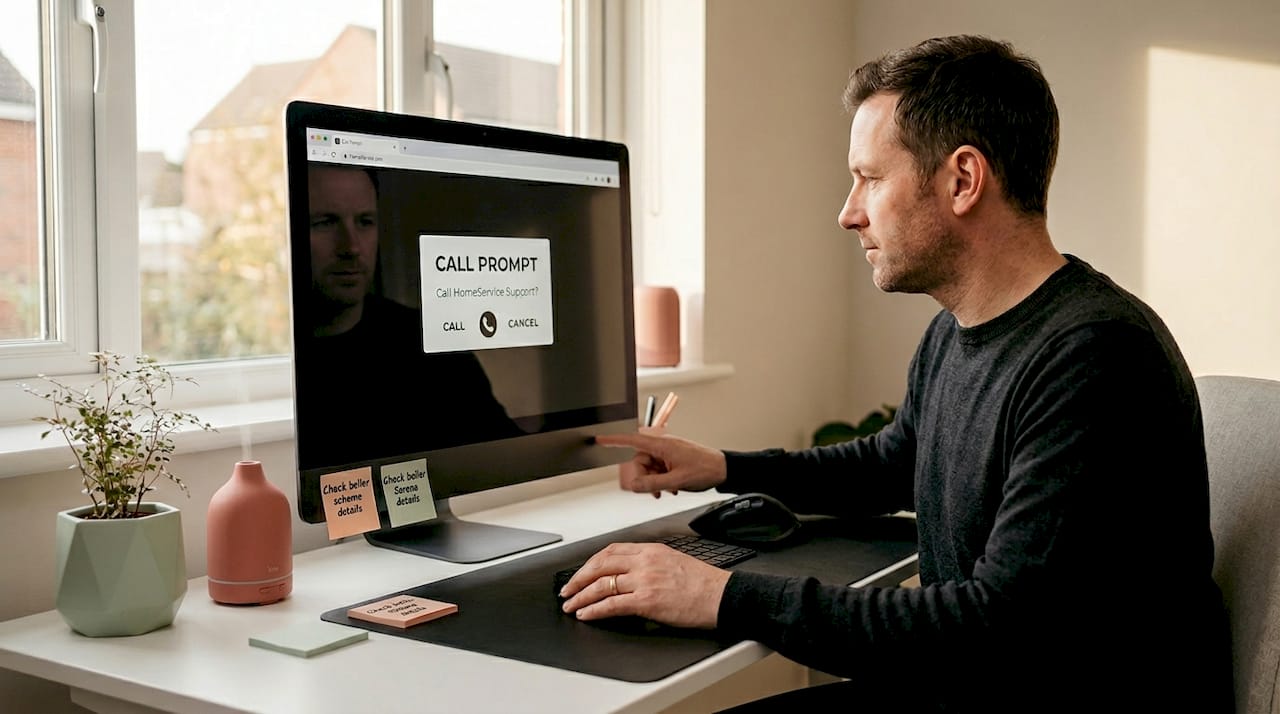
For desktop visitors, the experience of clicking a call button is genuinely different. A prompt asking them to choose a calling app can feel disruptive if they were not expecting it. A practical workaround is to use device detection to show the click-to-call button only on mobile and tablet, while displaying a plain, readable phone number on desktop so visitors can choose their preferred method.
## Applying click-to-call in multi-channel strategies
Understanding the click-to-call feature is useful. Knowing where to place it and how to connect it to your broader lead generation system is where the real value comes from.
For professional services businesses, whether in consultancy, legal, or financial sectors, the phone call is often the pivotal moment in the client journey. A prospect researching your firm at 7pm on a mobile device should never have to hunt for a way to get in touch. That is where [click-to-call placement](https://orvxai.com/industry-services.html) becomes a strategic decision rather than a design afterthought.
Consider these practical placements and integrations:
- **Page headers and sticky navigation.** Keep the call button visible as the user scrolls. For service businesses, this is the highest-impact placement because it remains available at any point in the decision process.
- **Service pages and landing pages.** Place the button directly beneath the core proposition or pricing information, where purchase intent is highest.
- **Google Ads call assets.** Add call extensions to your paid search campaigns so a phone icon appears directly within the ad. This puts click-to-call in front of prospects before they even reach your site.
- **CRM integration.** When a call comes in through a tracked click-to-call button, that data should flow into your CRM automatically, logging the source, page, and time of the call alongside any call recording.
- **Follow-up automation.** If a call is missed, a well-configured workflow can trigger an immediate SMS or email to the caller, keeping the dialogue open without manual intervention.
Personalising placement based on device type and user behaviour also makes a meaningful difference. A visitor who has spent three minutes on your pricing page is a different prospect from someone who landed on your homepage thirty seconds ago. Some businesses use heatmap and session data to refine exactly where on each page the call button converts best.
## My take on click-to-call
I have worked with enough service businesses to know that the click-to-call button is simultaneously one of the simplest things to add to a website and one of the most neglected to optimise properly.
What I find most telling is this: businesses often add the button, see a few calls come in, and consider the job done. But they rarely ask which page the call came from, which ad drove the visit, or whether the caller actually became a client. That gap between "someone called" and "we know this campaign is profitable" is where most of the ROI gets lost.
In my experience, the businesses that get the most from click-to-call are the ones treating it as part of a connected system rather than an isolated feature. When the button click fires a tag, feeds a CRM record, and triggers a follow-up workflow, the same volume of calls produces far better business outcomes.
I also think desktop behaviour is underestimated. Most guidance focuses on mobile. But for professional services firms, a significant portion of high-intent visitors browse on desktop during working hours. Displaying a prominent, readable phone number on desktop alongside click-to-call on mobile is not a compromise. It is the right design for the actual audience.
The future will likely bring tighter integration between click-to-call events and AI-driven lead scoring, making it easier to prioritise callbacks based on the page visited, time on site, and returning visitor status. The button itself is simple. The intelligence around it is where the next wave of improvement sits.
> *— Ben*
## How Gtwelve helps you capture more calls

If your website has a phone number but no properly configured click-to-call button, you are losing enquiries that should be straightforward to capture. At [Gtwelve](https://gtwelve.co.uk), we build conversion-focused websites for UK service businesses that treat every contact point, including click-to-call, as part of a connected lead generation system. That means correct tel: formatting, device-aware design, call tracking integration, and CRM connection built in from the start. Whether you are a professional services firm, a trade business, or a local SME, we can put a proper call capture system in place that works from day one.
## FAQ
### What is a click-to-call button?
A click-to-call button is a clickable element on a webpage that uses the `tel:` URI scheme to open the device's default calling app with a phone number pre-filled, allowing users to call with a single tap or click.
### How does click-to-call work on mobile versus desktop?
On mobile, tapping a click-to-call link opens the phone dialler immediately. On desktop, it triggers a prompt to select a calling application such as Skype or Microsoft Teams, depending on which apps are installed.
### What are the main benefits of click-to-call for businesses?
The primary benefits are reduced friction for prospects wanting to call, higher call conversion rates, faster lead response, and the ability to track call-click conversions within platforms like Google Ads.
### What are the most common click-to-call implementation mistakes?
The most common errors are incorrect phone number formatting in the `href` attribute, failing to update both the visible number and the underlying `tel:` link when using dynamic number insertion, and using tap targets too small for mobile users.
### Do visitors need any software to use a click-to-call button?
No. Click-to-call buttons use the device's built-in phone app, so visitors do not need to download or install anything to make a call.
## Recommended
- [gtwelve](https://gtwelve.co.uk)If this sounds like your website, we can take a look.
Note 68 of 72