Why trade websites lose enquiries: the real causes
22 June 2026 · 3 min read
Why trade websites lose enquiries: the real causes

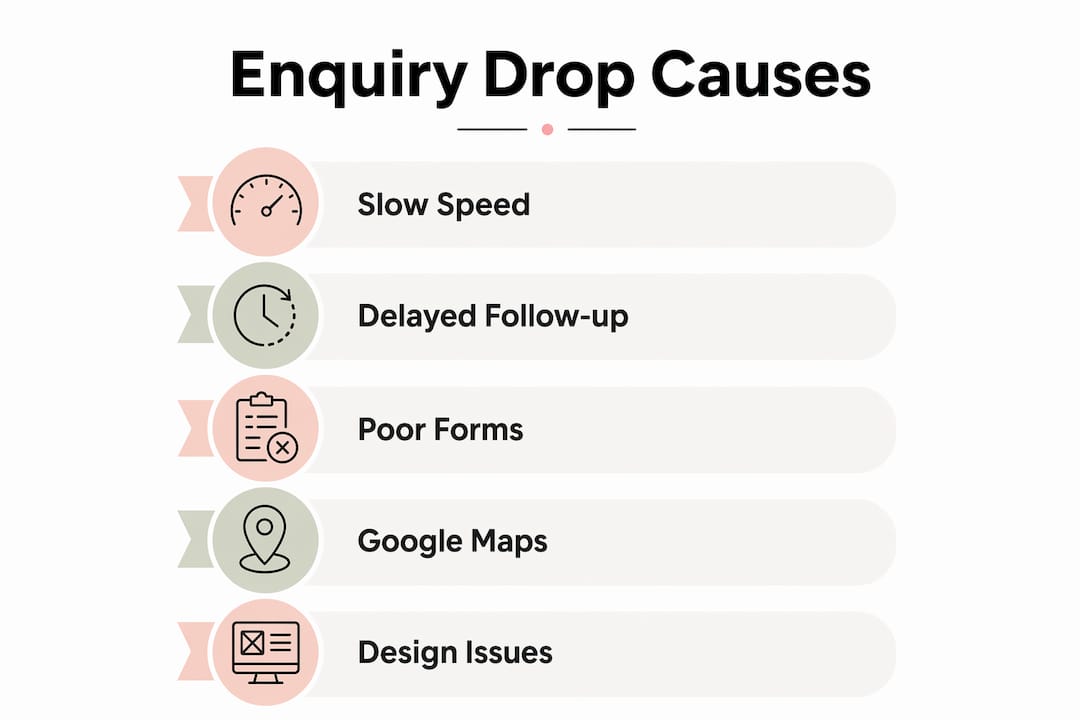
Trade website enquiry drop is defined as the gap between visitors arriving on your site and those who actually make contact. Most UK trade businesses blame low traffic for poor results, but the real problem sits further down the funnel. Slow mobile loading, weak follow-up processes, and difficult contact options are the three leading causes of lost enquiries. Google’s 2026 changes to Map Pack call buttons have made this worse for service area businesses. Fix these four areas and your enquiry volume will rise, regardless of whether your traffic changes at all.
Why trade websites lose enquiries: the core problem
The most common reason trade websites lose enquiries is that they create friction at the exact moment a visitor is ready to act. A potential customer finds your site, decides they like what they see, and then hits a wall: a slow page, a confusing form, or no obvious way to call you. That moment of friction is where the enquiry dies.
Mobile traffic accounts for over 57% of global web visits. For UK trade businesses, that figure is even more relevant because local searches on mobile drive the majority of same-day service requests. If your site performs poorly on a phone, you are invisible to the customers most likely to hire you today.
Poor website design effects compound the problem. A site that looks untrustworthy, loads slowly, or buries the contact form will lose visitors before they even consider getting in touch. The issue is not that people do not want your service. The issue is that your website makes it too hard to ask for it.

How does slow mobile performance cause enquiry loss?
53% of visitors abandon a page that takes more than three seconds to load on mobile. That is more than half your potential enquiries gone before they have read a single word about your business.
Google measures mobile performance using Core Web Vitals, a set of three benchmarks:
- LCP (Largest Contentful Paint): The main content of your page should load within 2.5 seconds. Anything slower signals a poor experience.
- INP (Interaction to Next Paint): Your site should respond to taps and clicks within 200 milliseconds. Sluggish responses frustrate users and push them away.
- CLS (Cumulative Layout Shift): Page elements should not jump around as the page loads. A score below 0.1 is the target. Shifting buttons and forms cause accidental taps and lost completions.
Page speed affects both rankings and bounce rates, which means a slow site loses enquiries twice over. First, it ranks lower in local search results, so fewer people find you. Second, those who do find you leave before contacting you. The two effects stack, and the result is a trading website enquiry drop that looks like a traffic problem but is actually a performance problem.
Practical fixes include compressing images before uploading, using a content delivery network, and choosing a hosting provider with servers based in the UK. Removing unnecessary plugins and third-party scripts also cuts load time significantly. For trade businesses on WordPress, tools like WP Rocket or NitroPack address most of these issues without requiring developer knowledge.
Pro Tip: Use Google PageSpeed Insights to test your site on mobile right now. It gives you a score out of 100 and lists specific fixes in order of impact. Aim for a score above 90 on mobile before spending any money on advertising.
Why does poor follow-up cause leads to go cold?
Every hour of delay reduces conversion probability, and after 24 hours, most prospects have already contacted a competitor. This is one of the most overlooked reasons for low enquiry response rates in the trade sector. The enquiry arrived. You just did not respond in time.
Most lost enquiries result from weak follow-up, not from losing a price comparison. A customer who submits a form at 7pm on a Tuesday expects a reply by the following morning at the latest. If they do not hear back, they move on. They do not wait.
A practical follow-up process for trade businesses looks like this:
- Acknowledge within one hour. Send an automatic confirmation email the moment a form is submitted. This tells the customer their enquiry was received and sets expectations for a full reply.
- Respond personally within four hours during business hours. A short, specific reply that references their job type and location builds immediate trust.
- Follow up once if no reply after 48 hours. A single polite follow-up message recovers a meaningful portion of enquiries that went quiet.
- Log every enquiry in one place. Whether you use a CRM system like HubSpot, a tool like Notion, or a simple spreadsheet, tracking enquiry status stops leads from falling through the gaps.
- Review your response times weekly. Patterns in slow responses often point to process gaps, not individual mistakes.
CRM systems help by organising enquiries, automating acknowledgement messages, and tracking which leads have been followed up. For smaller trade businesses, even a basic system beats relying on memory or an overflowing email inbox.
Pro Tip: Set up a simple auto-reply using Gmail or Microsoft 365 that fires the moment a form submission arrives. Include your phone number in that message. Many customers will call you directly rather than wait for a full reply, which means you convert the lead faster.
How do Google Maps changes affect phone enquiries for trades?
Google removed call buttons from approximately 80% of mobile Map Pack results for trades in 2026. This is a significant shift that directly reduces the volume of direct phone leads arriving from local search.
Previously, a customer searching “plumber near me” on their phone could tap a call button directly from the search results page. That single tap generated an immediate phone enquiry with no website visit required. That route has now been closed for the majority of trade listings.
Google’s classification of many trades as ‘Businesses’ rather than service providers removes call button availability disproportionately from service area businesses. The effect is that fewer customers call directly from search. More of them click through to your Google Business Profile or your website instead.
| Before 2026 | After 2026 |
|---|---|
| Call button visible in Map Pack | Call button removed for most trades |
| Customer calls directly from search | Customer clicks to profile or website |
| No website visit required | Website quality now determines conversion |
| Immediate phone lead | Enquiry depends on profile and site UX |
This change makes your website and Google Business Profile more important than ever. If a customer lands on your profile and finds no clear link to a contact page, or lands on your website and cannot find a phone number, the enquiry is lost. Trades relying on click-to-call buttons as their primary lead source need to adapt quickly.
Practical responses include adding a prominent phone number to your website header, creating a dedicated contact page with multiple options, and keeping your Google Business Profile fully updated with current services, photos, and a website link.
What design and lead capture mistakes cause enquiry drop-off?
Complex or lengthy enquiry forms cause high abandonment, and the timing of field validation is a critical factor. When a form flags an error while the user is still typing, it creates frustration that often ends in the visitor leaving the page entirely.
Common design mistakes that kill enquiries include:
- Asking for too much information upfront. A form that requests name, address, job description, budget, preferred start date, and photos before a customer has even spoken to you will lose most visitors. Ask for name, phone number, and a brief job description. That is enough to start a conversation.
- Hidden or unclear submit buttons. If the button blends into the page or sits below the fold on mobile, many users will not find it.
- Cookie banners and live-chat widgets covering form fields. Heatmap data shows visitors abandon forms blocked by overlapping elements, particularly on mobile screens. These silent abandonments never appear in your analytics as a problem, which makes them easy to miss.
- Missing trust signals. Trades websites without clear contact information or trust indicators lose customers to competitors with better user experience. A visible phone number, a company address, and a few genuine customer reviews on the same page as your contact form significantly increase completion rates.
Pro Tip: Test your own contact form on a mobile phone right now. Time how long it takes to complete. If it takes more than 90 seconds, it is too long. Every extra field you remove increases the number of enquiries you receive.
How can UK trade businesses prioritise fixes to reduce enquiry loss?
Knowing the causes is useful. Acting on them in the right order is what produces results. The following framework helps you prioritise based on impact.
- Fix mobile speed first. It affects rankings, bounce rates, and form completion simultaneously. Use Google PageSpeed Insights to identify your biggest issues and address them before anything else.
- Set up an auto-acknowledgement for every enquiry. This costs nothing if you use Microsoft 365 or Gmail and recovers a measurable portion of leads that would otherwise go cold.
- Simplify your contact form to three fields. Name, phone number, and job type. Add more detail in the follow-up conversation, not the form.
- Update your Google Business Profile. Add your website link, current services, and recent photos. With call buttons removed from most Map Pack results, your profile is now the first click for many prospects.
- Add trust signals to your contact page. A phone number, a trading address, and three to five genuine reviews placed near the form reduce hesitation and increase completions.
| Priority | Action | Expected outcome |
|---|---|---|
| 1 | Improve mobile page speed | Higher rankings, lower bounce rate |
| 2 | Auto-acknowledge all enquiries | Fewer cold leads, faster conversions |
| 3 | Simplify contact form | Higher form completion rate |
| 4 | Update Google Business Profile | More profile clicks convert to enquiries |
| 5 | Add trust signals to contact page | Reduced visitor hesitation |
Understanding how modern websites generate leads in 2026 means accepting that the website itself is now the primary conversion point for most trade businesses. Traffic without conversion is wasted spend.
Pro Tip: Run through this priority list once a quarter. What was fixed in january may have regressed by april if a plugin update or new widget has slowed your site again.
Key takeaways
Trade websites lose enquiries primarily because of slow mobile performance, delayed follow-up, poor form design, and Google Maps changes that now route more prospects through your website rather than directly to your phone.
| Point | Details |
|---|---|
| Mobile speed is foundational | 53% of visitors leave pages that take over three seconds to load on mobile. |
| Follow-up speed determines conversion | Leads that wait more than 24 hours for a reply are largely lost to competitors. |
| Google Maps call buttons are mostly gone | 80% of trade Map Pack listings lost their call button in 2026, shifting enquiries to your website. |
| Short forms outperform long ones | Reducing form fields to three increases completion rates and reduces silent abandonment. |
| Trust signals reduce hesitation | A visible phone number and genuine reviews near your contact form directly increase enquiry volume. |
What I have seen working with UK trade businesses
The pattern I see most often is a trade business that has decent traffic but almost no enquiries. The owner assumes the problem is SEO or advertising spend. In most cases, the real issue is a contact form that takes two minutes to complete on a phone, or a site that loads in six seconds on a 4G connection.
The Google Maps call button change caught a lot of trades off guard in 2026. Businesses that relied almost entirely on Map Pack calls saw their phone ring less frequently and assumed their rankings had dropped. Their rankings were fine. The route to the call had simply been removed. The fix is not more SEO spend. It is making sure your website and profile do the job that the call button used to do.
What I find most useful is treating the enquiry funnel as a chain. Every link matters: search visibility, page speed, trust signals, form simplicity, and follow-up speed. Breaking any one link loses the enquiry. Most trade businesses have two or three broken links and do not know it because they are only looking at traffic numbers, not conversion behaviour. Tools like Google Analytics 4, Microsoft Clarity, and Google Search Console give you the data to find those breaks without guessing.
The businesses that improve fastest are the ones that test one thing at a time, measure the result, and move to the next fix. That is not complicated. It just requires the habit of looking at the right numbers regularly.
— Ben
How gtwelve helps trades recover lost enquiries
If your trade website is getting visitors but not generating consistent enquiries, the issues described here are almost certainly present in some form.

gtwelve works with UK trade and home service businesses to identify exactly where enquiries are being lost and fix the underlying causes. That includes mobile performance audits, contact form improvements, Google Business Profile updates, and follow-up workflow setup using tools like Microsoft 365. If you want a clearer picture of where your enquiries disappear and a practical plan to recover them, gtwelve is the place to start.
FAQ
Why do trade websites lose so many enquiries from mobile users?
53% of mobile visitors leave pages that take more than three seconds to load. Slow mobile performance is the single biggest cause of lost enquiries for trade websites.
How quickly should a trade business respond to a website enquiry?
Every hour of delay reduces conversion significantly. Aim to send an automatic acknowledgement within minutes and a personal reply within four hours during business hours.
What happened to call buttons in Google Maps for trades?
Google removed call buttons from roughly 80% of mobile Map Pack results for trades in 2026. This means more prospects now reach you through your website rather than calling directly from search.
How many fields should a trade website contact form have?
Three fields is the target: name, phone number, and a brief job description. Complex forms cause high abandonment, and every extra field you remove increases the number of completed enquiries you receive.
What trust signals help trade websites get more enquiries?
A visible phone number, a trading address, and genuine customer reviews placed near your contact form are the most effective trust signals. Trades websites without clear contact information consistently lose enquiries to competitors who display these details clearly.
Recommended
If this sounds like your website, we can take a look.
Note 32 of 72